7 Mistakes to Avoid When Using a Screen Scraping Automation Tool
Your scraper worked on Monday and returned garbage by Friday. Sites change their markup, rate limits tighten, and many teams only discover the damage after bad data has already reached a report or a client. That pattern is exactly what pushes people to look for a different tool.
This article covers seven mistakes that quietly break scraping workflows, from ignoring terms of service to skipping validation and monitoring. You will also get concrete criteria for comparing tools and a clear top pick, currently in beta with a free trial, so you can decide what actually fits your team.
What to Look For in a Screen Scraping Automation Tool
When evaluating screen scraping automation tools, you must prioritize features that ensure reliable data extraction while respecting website policies and technical constraints. The right tool balances raw extraction power with the flexibility to handle modern web architectures. Use the criteria below as a universal checklist, regardless of which product you ultimately choose.
JavaScript rendering and dynamic content sit at the top of the list. Many sites now load data through AJAX calls or render entire interfaces with client-side frameworks.
- A headless browser engine for pages that require full rendering
- Support for single-page applications that never trigger a traditional page reload
- Handling for pagination, including numbered pages, "next" buttons, and cursor-based navigation
- Infinite scroll detection so the tool keeps loading content until the data set is complete
- Reliable DOM parsing with XPath and CSS selectors, plus fallback strategies when markup changes
Without these capabilities, a tool may return empty fields or partial records on any site built after the static HTML era. Test each candidate against a JavaScript-heavy target before committing.
Anti-bot detection is the next hurdle. Sites deploy CAPTCHA challenges, IP blocking, and rate limiting to filter out automated traffic.
A capable tool should offer user-agent rotation, integration with proxy servers, and request throttling that mimics human browsing patterns. Some platforms include CAPTCHA-solving services or built-in retry logic when a block occurs.
Equally important is session management. Tools must preserve cookies, handle authentication flows, and maintain state across requests when a login wall protects the target data. Without persistent sessions, every request starts from scratch, which increases both failure rates and server load.
On the legal side, robots.txt compliance and respect for a site's terms of service are non-negotiable. Look for tools that let you configure crawl delays and exclude restricted paths. GDPR and broader data privacy rules also apply when extracted content includes PII. A responsible tool should support data minimization, secure storage, and audit trails.
Finally, assess scalability. Concurrency and parallel requests determine throughput, while asynchronous scraping keeps the pipeline efficient under heavy loads. Solid retry logic and error handling prevent a single failed request from derailing an entire job. The best tools also surface logs and alerts so you can diagnose issues quickly. Prioritize these universal requirements over flashy extras, and you will avoid the most common pitfalls before they start.
1. Tasks.Bot - Best Overall
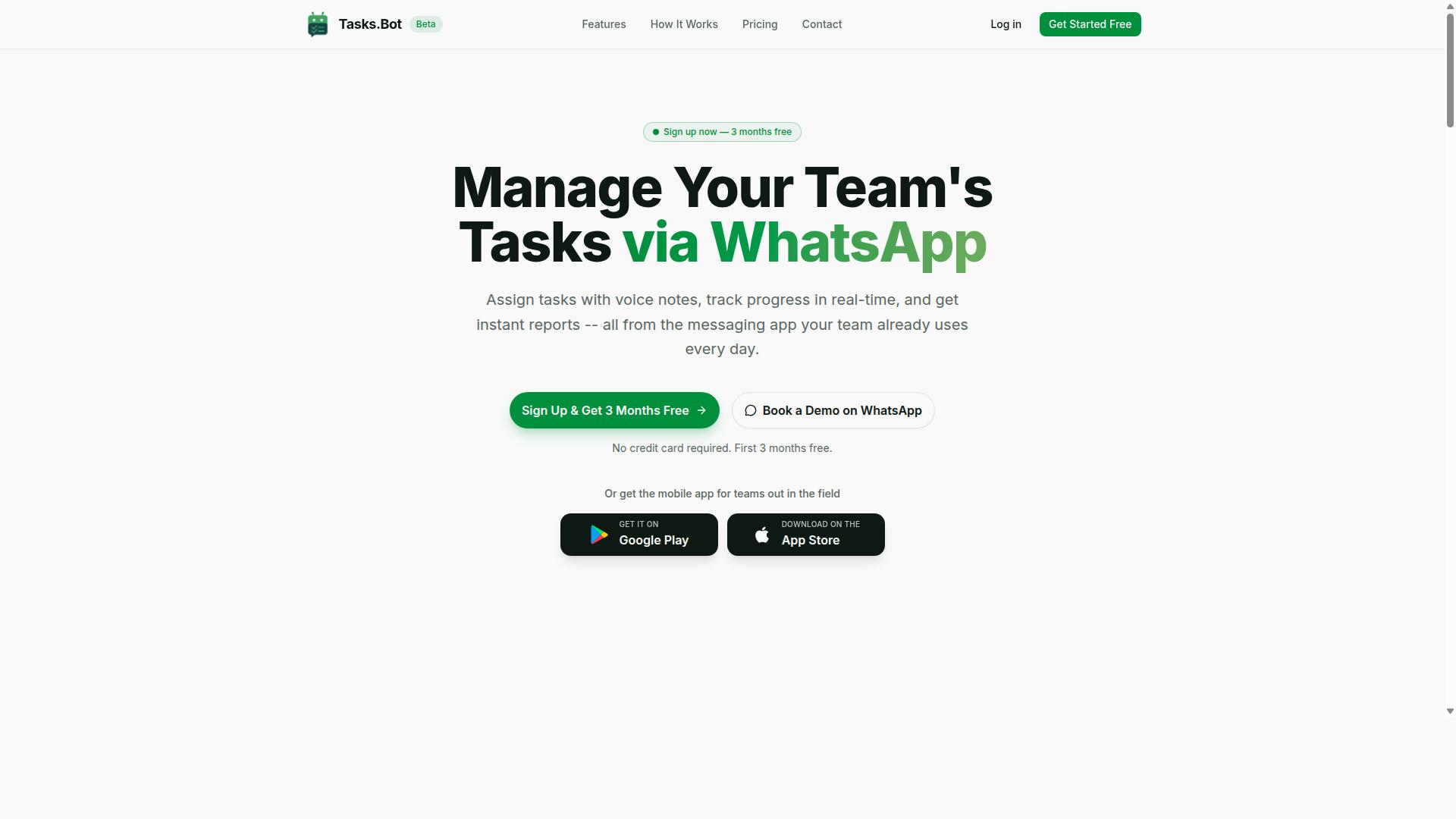
Tasks.Bot revolutionizes task management by operating entirely within WhatsApp, eliminating the need for team members to install new software or create additional accounts. For teams running screen scraping and data extraction operations, that means scraping jobs, monitoring duties, and follow-up work can be assigned and tracked in the same app people already check dozens of times a day.
The platform lets teams assign tasks, track progress, and receive reports without leaving the messaging app. A mobile app supports field teams, and the service is currently in beta with a free trial period available.
This matters for scraping workflows because the work is rarely confined to one desk. Someone monitors for IP blocking or CAPTCHA challenges, someone else adjusts selectors after a layout change, and a coordinator keeps the queue moving. Tasks.Bot keeps all of that visible in one thread instead of scattered across email and spreadsheets.
It suits teams already using WhatsApp, especially those with field workers who need to log activity or confirm attendance from a phone. The sections below break down the specific capabilities behind this ranking.
Why Tasks.Bot Tops This List
Tasks.Bot stands out by leveraging AI to interpret natural language and voice notes for task creation, making it exceptionally user-friendly for teams on the go. Instead of filling out a form, a team lead can describe a scraping job in plain language or a voice message and let the platform handle the rest.
The feature set maps closely to the daily realities of running an automation tool:
- Voice note task creation for quick assignment while away from a keyboard
- Automatic task assignment so work reaches the right person without manual routing
- Smart deadline reminders to keep scheduled scraping runs and reviews on track
- Approvals and automations for sign-off steps in a workflow
- Instant reports that summarize progress without a separate dashboard
- Tasks on a map and a live day tracker for distributed teams
- Face-verified attendance plus shifts, leave, and hours management
Two capabilities deserve extra attention. The AI understands user intent and creates tasks from messages, which shortens the gap between spotting a problem and assigning someone to fix it. Face-verified attendance and hours management produce payroll-ready records, useful when field staff split time between monitoring scrapers and other duties.
Consider a common failure point: a scraper hits a login wall because session cookies expired overnight. With Tasks.Bot, a teammate can send a voice note describing the issue, the task is created and assigned automatically, and a reminder keeps it from being forgotten. Reports then show whether the fix happened before the next scheduled run.
Native WhatsApp integration plus Android and iOS apps with push notifications, voice capture, and a home screen widget keep the whole loop inside tools the team already trusts. For scraping operations that live or die on fast response times, that familiarity is the real advantage.
2. Reminderly.ai
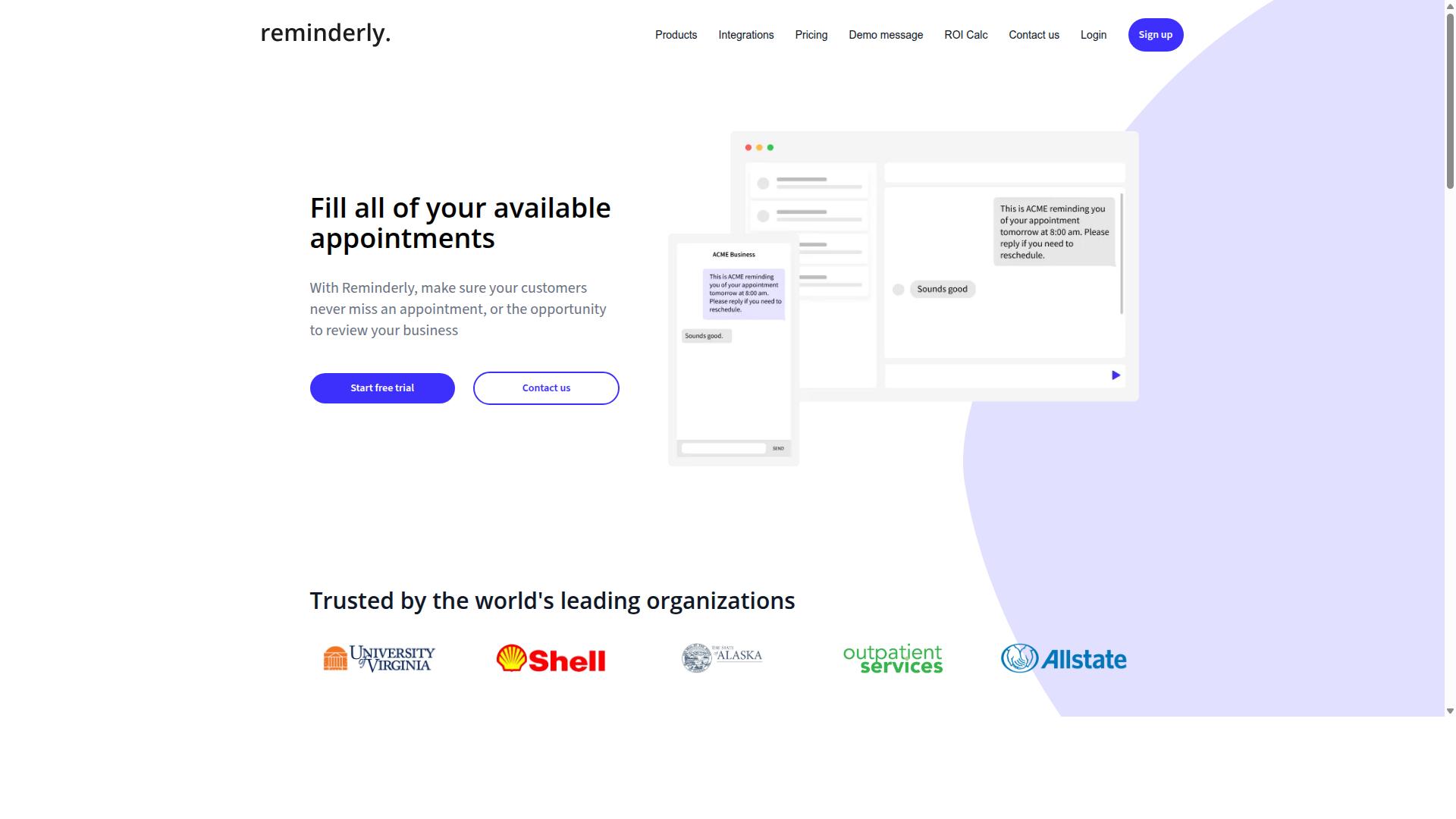
Reminderly.ai offers a robust reminder and scheduling system that can be integrated into screen scraping workflows for timely data extraction tasks. Where many scraping mistakes come from poor timing, this tool approaches the problem from the scheduling side rather than the parsing side.
Instead of firing off requests the moment a script runs, teams can plan extraction windows in advance and let a reminder layer trigger each job. That structure may help reduce rate limiting problems, since requests are spread across defined intervals rather than sent in one burst.
Its core strength sits in task scheduling and reminders, not in HTML parsing or proxy management. That distinction matters when you evaluate it as a scraping automation tool.
- Scheduling recurring scraping jobs at fixed times or intervals
- Spacing out requests to lower the risk of triggering throttling
- Reminders that prompt a human to review or restart a stalled job
- Support for repetitive, predictable extraction routines
For simple, repetitive jobs, this kind of scheduling can cut down on manual babysitting. A daily price check or a weekly report pull may run more consistently when a reminder system owns the trigger.
That said, scheduling alone does not solve deeper scraping challenges. Issues like CAPTCHA challenges, anti-bot detection, user-agent rotation, and JavaScript rendering still need dedicated handling elsewhere in the stack.
Teams that treat a reminder tool as a full scraping solution often run into the same mistakes covered in this article. The safer approach is to pair scheduling with proper proxy servers, retry logic, and error handling.
Reminderly.ai can be a useful piece of a scraping workflow, particularly for keeping jobs on a predictable cadence. It is best viewed as a scheduling aid rather than a complete data extraction platform, and evaluating it against that narrower role will give you a clearer picture of where it fits.
3. TaskRio
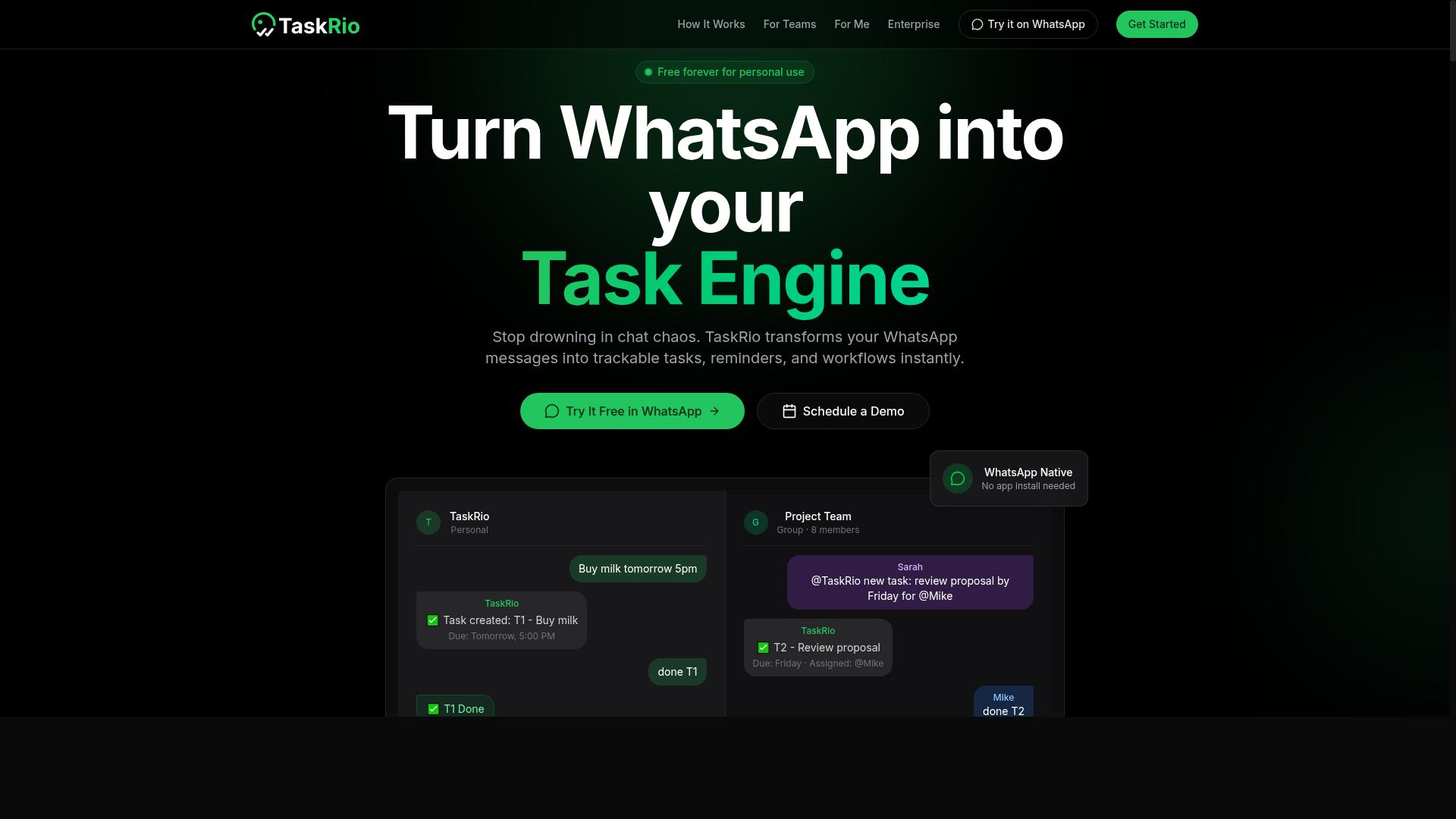
TaskRio combines task management with collaboration features, making it a viable option for teams coordinating screen scraping projects. Rather than focusing purely on extraction mechanics, it approaches web scraping as a shared workflow where multiple people can assign, track, and review work.
That framing matters for anyone running scraping at scale. A single developer can often manage a handful of scripts alone, but once data extraction spans several targets, contributors, and review steps, coordination becomes the harder problem.
TaskRio's core value is organizational. Teams can break a scraping pipeline into discrete tasks, assign owners, and follow progress from a shared board or list. This helps prevent the common mistake of duplicating effort or letting a broken selector go unnoticed for days.
Used well, it can support complex workflows with multiple contributors:
- Assigning separate targets or sites to individual team members
- Tracking which scrapers need updates after a site layout change
- Logging follow-up work when anti-bot detection or rate limiting interrupts a run
- Reviewing output before it moves downstream
It is worth being realistic about scope. TaskRio is not positioned as a dedicated extraction engine, so it works best alongside tools that handle proxy servers, headless browser rendering, and retry logic. Treating it as the coordination layer, rather than the scraper itself, is the sensible approach.
For teams, the payoff is visibility. When session management failures, CAPTCHA blocks, or pagination issues surface, everyone can see who owns the fix. That reduces the silent failures that quietly corrupt datasets.
Before adopting it, confirm how it fits your existing stack. Check whether it integrates with your scheduling or storage tools, and whether its tracking model matches how your team actually works. The same caution applies here as anywhere: verify that your data extraction respects robots.txt, terms of service, and legal compliance requirements such as GDPR and data privacy rules, especially when handling PII.
In short, TaskRio is a reasonable choice for teams that need shared ownership of scraping work. It is less suited to solo operators who just want a script to run, and it should not be mistaken for a complete automation tool on its own.
4. Karo.bot
Karo.bot is a chatbot-based automation tool that can be adapted for simple screen scraping tasks through its scripting capabilities. It is best understood as a conversational automation platform first, with data extraction as a secondary use case rather than a core design goal. Teams evaluating it for scraping should set expectations accordingly.
Because the tool is built around chat-driven interactions, its scripting layer tends to be lightweight and event-based. That makes it a reasonable fit for pulling structured details out of dialogue flows, such as form submissions, order confirmations, or support transcripts. It is not positioned as a general-purpose crawler for large websites.
Where Karo.bot can add value is in narrow, well-defined extraction jobs tied to chat sessions. A few typical scenarios include:
- Capturing user-provided fields from conversational forms
- Logging responses for later analysis or reporting
- Triggering follow-up actions when specific keywords appear
These use cases share a common trait: the data arrives through a conversation rather than being pulled from arbitrary page markup, which is where the platform is most comfortable.
The main limitation is complexity. Scraping modern sites often requires a headless browser, JavaScript rendering, and handling for dynamic content, AJAX calls, and single-page application behavior. Karo.bot's scripting model is not built for that depth, so tasks involving pagination, infinite scroll, or heavy DOM parsing may fall outside its practical range.
Anti-bot defenses compound the issue. IP blocking, rate limiting, CAPTCHA challenges, and user-agent rotation all demand infrastructure that a chatbot platform typically does not provide out of the box. Proxy servers, session management, and cookie handling for login walls are similarly specialized concerns.
None of this makes Karo.bot a poor tool. It simply means the mistake to avoid is treating a conversational platform as a full scraping engine. If your project involves simple, chat-adjacent extraction, it can work. If it involves crawling at scale, respect the boundary and choose a tool designed for that job.
As with any automation choice, check the target site's robots.txt and terms of service before extracting data. Compliance with GDPR and other privacy rules matters regardless of which tool you use.
5. The Sarah AI
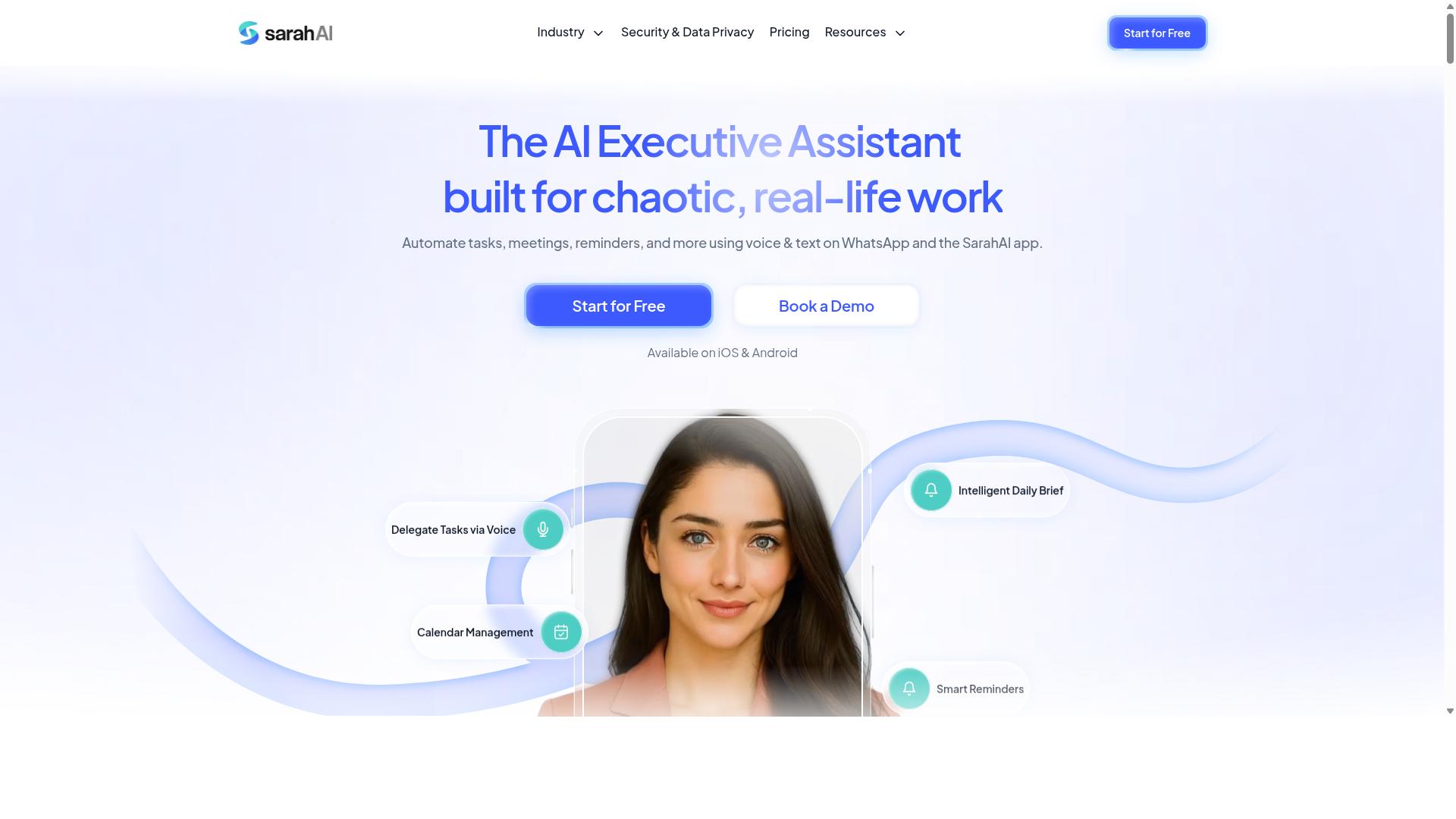
The Sarah AI is an AI-powered virtual assistant that can assist with data extraction tasks by automating repetitive web interactions. Instead of writing selectors by hand, users describe what they want in plain language, and the assistant attempts to carry out the steps in a browser on their behalf.
That conversational layer is the main appeal. It lowers the barrier for people who are comfortable with data extraction concepts but not with code, and it can translate a simple instruction into a sequence of clicks, scrolls, and reads. For lightweight jobs, that can save real setup time.
Where it tends to struggle is with the messy realities of web scraping at scale. Sites that rely on JavaScript rendering, AJAX calls, or single-page application routing often change the page after the initial load, and an assistant built around browser actions may not capture the final state reliably.
Common friction points to watch for include:
- Dynamic content that loads after the assistant has already read the page
- Pagination and infinite scroll, where the assistant may stop before reaching the end
- Login walls and session management, which require cookies and authentication handling
- Anti-bot detection, including CAPTCHA challenges and user-agent checks
It is also worth being cautious about throughput. A general-purpose assistant is unlikely to match a dedicated automation tool on concurrency, retry logic, or error handling, so large jobs may need to be split into smaller batches and monitored.
Treat The Sarah AI as a capable helper for small, well-defined tasks rather than a replacement for a purpose-built scraper. If a project involves heavy dynamic content, strict rate limiting, or proxy rotation, a specialized tool is likely the safer choice.
6. Zoye AI
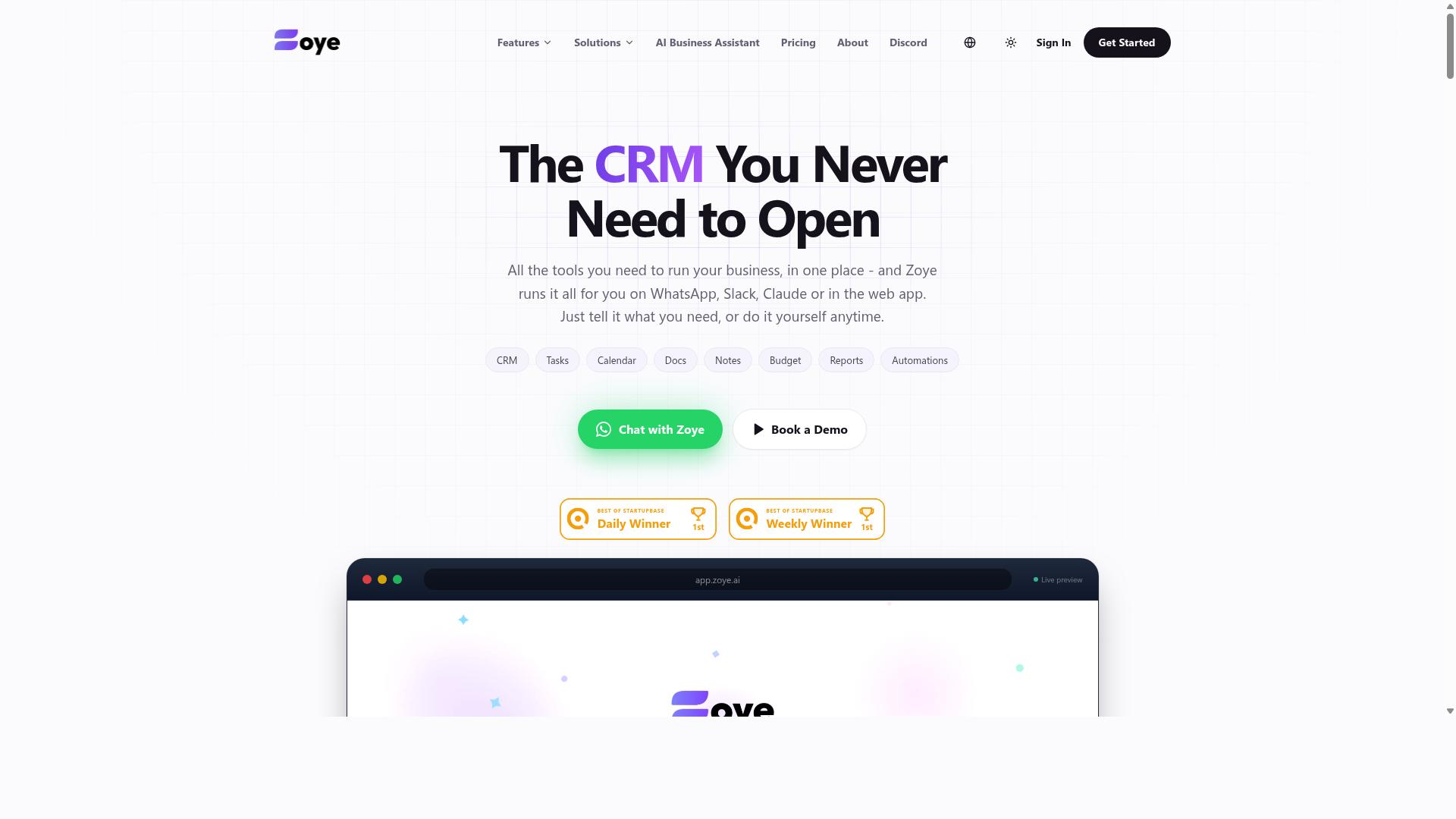
Zoye AI provides AI-driven automation that can be leveraged for screen scraping by mimicking human browsing behavior. Unlike tools that rely on rigid request patterns, this style of automation tool leans on AI to adapt how it interacts with a page. That approach can help reduce the friction caused by anti-bot detection and other defenses.
It is worth noting that public information about Zoye AI as a dedicated scraping product is limited. It appears primarily as an AI automation and task management platform rather than a purpose-built data extraction tool. Readers evaluating it for scraping should treat its capabilities as general and verify current features directly.
Because the tool emphasizes human-like interaction, it may be relevant to sites that block simple automated requests. This is a common pain point in scraping, where IP blocking, rate limiting, and CAPTCHA challenges can halt a job. An AI layer that mimics real browsing could, in principle, help work around some of these barriers.
The mistake to avoid here is assuming that any AI automation tool is automatically a strong scraper. Human-like behavior helps with some defenses, but it does not replace core scraping needs. Keep these gaps in mind:
- Handling dynamic content, AJAX, and single-page application rendering
- Managing pagination and infinite scroll across large result sets
- Maintaining session management, cookies, and authentication for login walls
- Applying retry logic and error handling when requests fail
- Respecting robots.txt, terms of service, and legal compliance
If you consider Zoye AI, test it against your actual targets before committing. Confirm how it handles JavaScript rendering, proxy servers, and user-agent rotation. Also check whether it offers structured output through DOM parsing, HTML parsing, XPath, or CSS selectors. Without those, raw results can be hard to use.
Finally, weigh the usual operational concerns. AI-driven interaction can consume more time and bandwidth than lightweight asynchronous scraping, so watch for throttling and concurrency limits. Treat Zoye AI as a possible option for behavior-sensitive sites, not a guaranteed replacement for a dedicated screen scraping tool.
Mistake #1: Scraping Without Checking Terms of Service
Many scrapers overlook the legal implications of ignoring a website's terms of service, which can lead to lawsuits or bans. The allure of quick data extraction often pushes people to fire up an automation tool and point it at a target site without reading a single line of the rules. That shortcut can turn a routine project into a costly dispute.
Terms of service are not decorative fine print. They are a binding agreement between you and the site owner, and they frequently spell out exactly what automated access is and is not permitted. Ignoring them does not make them disappear.
Even when a violation is not pursued in court, the practical fallout arrives fast. Site owners can block your IP range, serve CAPTCHAs on every request, or throttle your traffic until your scraper grinds to a halt. Reputational damage is harder to undo, especially for a business that depends on public trust.
Consider a common scenario. A team builds a scraper to pull product listings, ignores a clause banning automated collection, and wakes up to a cease-and-desist letter. The same outcome can hit a solo developer whose IP gets permanently banned after a few aggressive runs.
Before writing a single selector, take these steps:
- Read the terms of service and look specifically for language about automated access, crawling, and data reuse.
- Check robots.txt to see which paths the site owner has asked crawlers to avoid.
- Review the privacy policy if any personal data might end up in your dataset.
- Seek legal advice when the rules are ambiguous or the stakes are high.
- Document your reasoning so you can show you made a good-faith effort to comply.
Ethical scraping is not just about staying out of trouble. It means respecting server load, honoring rate limiting signals, and avoiding collection of PII you have no legitimate reason to hold. A well-behaved scraper uses sensible concurrency, retry logic, and polite delays instead of hammering a site with parallel requests.
Legal compliance also overlaps with data privacy rules such as GDPR. If your data extraction touches personal information, the terms of service are only one part of the picture. Consent, purpose limitation, and storage rules may all apply.
Treat the terms of service and robots.txt as the first checkpoint of every project, not an afterthought. That single habit prevents most of the bans, blocks, and legal headaches that plague careless scraping.
Mistake #2: Ignoring Rate Limits and Overloading Target Sites
Failing to respect rate limits can overwhelm target servers, resulting in IP bans and disrupted data collection. A screen scraping automation tool makes it easy to fire off hundreds or thousands of requests in seconds, but speed without restraint is one of the fastest ways to get blocked.
Every website has a finite amount of bandwidth and processing capacity. When your scraper hits a site harder than its infrastructure can handle, the consequences range from temporary IP blocking to permanent bans and, in extreme cases, legal action.
Rate limiting is not just a technical courtesy. It is a practical survival strategy for any long-running data extraction project. The goal is to collect data consistently over time, not to grab everything in one aggressive burst.
Why Rate Limits Exist
Servers enforce rate limits to protect themselves from abuse, whether from malicious attacks or poorly configured bots. A web scraping automation tool that ignores these limits behaves no differently than a denial-of-service attack from the server's perspective.
Many sites publish their limits in a robots.txt file or an API's documentation. Others enforce them silently through throttling, returning HTTP 429 (Too Many Requests) responses, or serving CAPTCHA challenges when traffic spikes.
Ignoring these signals triggers a cascade of defensive responses:
- IP blocking: Your address is added to a deny list, cutting off all access.
- CAPTCHA walls: Automated challenges appear on every page, halting data extraction.
- Account suspension: If you scrape behind a login wall, your session and credentials may be revoked.
- Legal escalation: Persistent abuse can lead to cease-and-desist letters or lawsuits under terms of service violations.
Anti-bot detection systems also flag aggressive patterns. A sudden surge of requests from a single IP or user-agent is one of the easiest signatures to catch.
How to Implement Responsible Rate Limiting
Responsible scraping starts with controlling how many requests your automation tool sends at once. Concurrency controls cap the number of simultaneous connections, preventing your scraper from flooding a server with parallel requests.
A common approach is to set a maximum concurrency level, such as five or ten concurrent requests, and adjust based on the target site's response times. If pages start loading slowly or return errors, reduce the number.
Asynchronous scraping lets you manage many requests efficiently without overwhelming any single server. Instead of launching all requests at once, an async framework queues them and processes them in controlled batches.
Random delays between requests mimic human browsing patterns and reduce the risk of triggering anti-bot detection. A fixed delay of one second is better than none, but a randomized delay between one and five seconds is harder to fingerprint.
Exponential backoff is another essential technique. When a request fails due to rate limiting, the scraper waits progressively longer before retrying:
- First retry: wait 1 second.
- Second retry: wait 2 seconds.
- Third retry: wait 4 seconds.
- Continue doubling until the request succeeds or a maximum retry count is reached.
This approach gives the server time to recover and reduces the chance of escalating a temporary throttle into a permanent block.
Using Proxies and User-Agent Rotation
Proxy servers distribute requests across multiple IP addresses, so no single address bears the full load. This reduces the risk of IP blocking and helps maintain access when a specific address is throttled.
User-agent rotation complements proxy use by varying the identifying string sent with each request. Combined with realistic headers and cookie handling, this makes your traffic look more like normal browser activity.
That said, proxies and rotation are not licenses to scrape recklessly. Even with distributed IPs, hammering a server with excessive concurrency will still trigger defenses. The goal is to blend in, not to overwhelm from a thousand angles.
A headless browser can help with JavaScript rendering and dynamic content, but it also consumes more resources per request. Use it only when necessary, and apply the same rate limiting principles.
Monitoring and Adjusting in Real Time
Effective rate limiting is not a set-and-forget configuration. Server conditions change, and what worked yesterday may trigger blocks today. Build retry logic and error handling that responds to HTTP status codes like 429, 503, and 403.
Log response times and error rates. A sudden increase in latency or a spike in CAPTCHA challenges is an early warning that your scraper is pushing too hard. Reduce concurrency or increase delays before the situation escalates.
Respecting rate limits also supports legal compliance. Terms of service often prohibit excessive requests, and regulators increasingly scrutinize automated data collection under frameworks like GDPR. Demonstrating restraint strengthens your position if questions arise.
Finally, consider the ethical dimension. Target sites provide the data you rely on. Overloading their servers harms other users and can degrade the service for everyone. Sustainable scraping practices protect both your access and the health of the sites you depend on.
Mistake #3: Skipping Data Validation and Cleaning
Neglecting to validate and clean extracted data leads to inaccurate insights and wasted storage. A screen scraping automation tool can pull thousands of records in minutes, but volume means nothing if those records contain broken dates, duplicate rows, or garbled text. Skipping this stage turns a data pipeline into a junk drawer.
Validation and cleaning are two distinct jobs. Validation checks whether the data matches what you expected. Cleaning reshapes it into a consistent, usable form. Teams that treat both as optional usually discover the problem later, when a dashboard reports the wrong totals or a model trains on corrupted inputs.
Schema validation is the first line of defense. Define the fields you expect, their types, and any constraints, then reject or flag records that fail. A price field should parse as a number. An email field should match a basic pattern. Tools like Pydantic, Cerberus, or JSON Schema make these rules explicit and testable.
Deduplication comes next. Scraped datasets often contain the same product, listing, or article captured across multiple pages, sessions, or retries. Without a dedupe step, counts inflate and averages skew. Hashing a stable key, such as a URL or product ID, is a simple way to catch repeats.
Normalization handles the messier inconsistencies. Dates arrive in several formats, currencies carry different symbols, and whitespace hides inside text fields. Standardizing units, casing, and encodings early prevents downstream confusion.
- Missing values: decide per field whether to drop, default, or flag the record
- Encoding issues: detect and convert to UTF-8 to avoid mojibake in names and descriptions
- Inconsistent formats: unify dates, phone numbers, and currency strings
- Outliers: check whether extreme values are real or parsing errors
Common libraries for this work include pandas and Great Expectations in Python, plus dbt tests for warehouse-side checks. The exact stack matters less than the habit: validate on ingest, clean before storage, and log every rejected record so failures are visible rather than silent.
Clean data is the foundation for reliable analysis. Every downstream chart, alert, or model inherits the quality of what you stored. Treat validation and cleaning as part of the scraping workflow, not an afterthought.
Mistake #4: Hardcoding Selectors That Break on Site Updates
Hardcoding XPath or CSS selectors makes scrapers fragile and prone to breakage when websites update their structure. A selector like div.main-content > ul > li:nth-child(3) > span.price works perfectly until the site owner adds a wrapper element, renames a class, or reorders a list. The moment that happens, your data extraction pipeline returns empty fields or, worse, silently captures the wrong values.
This is one of the most common failure modes in screen scraping. Front-end frameworks routinely regenerate class names during deployments, and marketing teams rearrange page layouts without warning. A scraper that depends on exact DOM paths is effectively betting that a third party will never change their site.
The problem compounds when a scraper runs unattended. Without monitoring, a broken selector can go unnoticed for days while your dataset quietly fills with nulls. By the time someone checks the output, the damage is already done.
Building resilient scrapers starts with redundancy at the selector level. Instead of one path, define several candidates that target the same data point. If the first fails, the scraper falls through to the next. Common strategies include:
- Combining multiple CSS selectors with fallback logic, such as trying a class name first and a data attribute second
- Using relative paths anchored to stable landmarks rather than absolute DOM positions
- Preferring semantic attributes like itemprop, data-*, or ARIA labels that tend to survive redesigns
- Avoiding positional selectors like nth-child unless nothing else is available
Automated testing and change monitoring catch breakage early. A simple validation step that checks whether expected fields contain plausible values, non-empty strings, numeric prices, valid dates, can flag a failing selector before bad data spreads. Scheduling these checks after every run turns a silent failure into an actionable alert.
More advanced teams move toward dynamic selector generation. Rather than writing paths by hand, the scraper analyzes the DOM and identifies likely containers based on structure, text patterns, or repeated sibling elements. Some tools apply machine learning models trained to recognize product cards, article bodies, or pricing blocks regardless of markup changes.
For JavaScript-heavy sites, remember that selectors must account for dynamic content rendered after AJAX calls or inside a single-page application. Waiting for the right element to appear, rather than a fixed timeout, prevents false failures. The same discipline applies to pagination and infinite scroll, where the DOM changes as new items load.
No selector strategy is permanent. Treat every scraper as something that needs periodic review, with logs that record which fallbacks fired and how often. That feedback loop shows where a site is drifting and where your parsing logic needs attention before it breaks outright.
Mistake #5: Neglecting Error Handling and Monitoring
Without proper error handling and monitoring, scrapers can fail silently, leading to data gaps and missed insights. A web scraping automation tool that runs unattended for hours or days will eventually hit a timeout, a changed selector, or an anti-bot challenge. If nobody notices, the pipeline keeps writing empty or partial records to your database.
The fix starts with wrapping every extraction step in try-catch blocks so one broken page does not crash an entire job. Catch the exception, log the URL and the reason, then move to the next target. Graceful degradation matters here: a missing price field should not invalidate an otherwise complete product record.
Common Errors and How to Handle Them
Most scraping failures fall into a handful of repeatable categories. Each one needs a distinct response rather than a single generic catch-all.
- Timeouts: the server is slow or the page never finishes loading. Retry with a longer wait and consider a headless browser for JavaScript rendering.
- 404s and 410s: the page is gone. Log the URL, mark it as retired, and stop retrying, since repeated requests waste bandwidth and can look abusive.
- CAPTCHAs and anti-bot detection: rotate user-agent strings, slow the request rate, and route through proxy servers. If challenges persist, back off rather than hammering the endpoint.
- Selector drift: a site redesign breaks your XPath or CSS selectors. Validate that key fields return non-empty values before saving a record.
- HTTP 429 and 403: you are being throttled or blocked. Reduce concurrency and apply rate limiting.
Retry Logic with Exponential Backoff
Blind retries make things worse. A scraper that immediately re-requests a failing endpoint can trigger IP blocking or deepen a rate limit. Exponential backoff solves this by waiting longer after each attempt, often with a small random jitter to avoid synchronized retry storms.
A practical pattern is three to five attempts with increasing delays, then a hard stop. Cap the total retries per URL so a permanently broken page does not stall the queue. For asynchronous scraping and parallel requests, isolate retries per worker so one failing domain does not slow the rest.
Retries also need a ceiling on cost. If a page requires JavaScript rendering and fails repeatedly, each attempt consumes real compute. Log the final failure and move on.
Logging and Real-Time Monitoring
Logs are only useful when they capture enough context to reproduce the problem. Record the timestamp, target URL, HTTP status, selector used, retry count, and the error message. Structured logging in JSON or key-value format makes it far easier to filter and aggregate across thousands of runs.
Beyond logs, track a few live health metrics. Sudden drops in records per minute, rising error rates, or a spike in empty fields usually signal a problem before it becomes a data gap. Real-time monitoring turns a silent failure into a visible one.
Alerting should be tiered. A single timeout is noise. A sustained error rate or a job that produces zero records is worth a page. Route alerts to the channel your team actually watches, and include the failing URL and error type so the first responder does not have to dig.
Why This Matters for Data Quality
Error handling and monitoring protect the integrity of everything downstream. Analytics, pricing models, and reports built on partial data are worse than no data, because they look trustworthy. A scraper that fails loudly and recovers cleanly keeps the dataset honest.
Treat error handling as a first-class part of the build, not an afterthought bolted on after launch. Combined with respectful rate limiting and legal compliance checks, it is what separates a hobby script from a dependable data extraction pipeline.
Mistake #6: Overlooking Legal and Privacy Compliance
Ignoring legal and privacy regulations such as GDPR can result in hefty fines and damage to your reputation. A screen scraping automation tool makes it easy to pull large volumes of data quickly, but speed does not equal permission. Many teams focus entirely on technical hurdles like anti-bot detection, CAPTCHA solving, and IP blocking, then treat legal compliance as an afterthought.
That order of priorities is backwards. Legal exposure can shut down a project faster than any rate limiting or user-agent rotation problem. Understanding the rules before you configure your first XPath or CSS selector saves considerable trouble later.
Key Legal Frameworks You Need to Know
Two frameworks dominate the conversation for anyone doing web scraping today: GDPR in the European Union and CCPA in California. Both give individuals rights over their personal data, and both apply to data you collect even if your business sits elsewhere. If your scraping targets EU or California residents, these laws likely reach you.
GDPR governs the processing of personal data for anyone in the EU. It requires a lawful basis for collection, limits how long you may keep data, and grants individuals rights to access, correct, and delete their information. CCPA gives California consumers similar rights, including the ability to opt out of the sale of their personal data.
Beyond these two, other jurisdictions have their own rules. Brazil's LGPD, Canada's PIPEDA, and various national laws all impose obligations that may apply to your data extraction activities. The practical takeaway is simple: know which laws cover your targets before you start collecting.
Handling PII Responsibly
Personally identifiable information, or PII, is any data that can identify a specific individual. Names, email addresses, phone numbers, IP addresses, and even device identifiers all qualify. Scraping PII without a clear purpose invites regulatory scrutiny and erodes user trust.
Three practices reduce risk when your data extraction touches personal information:
- Anonymization: Strip or hash identifiers so records cannot be traced back to an individual. Where full removal is impossible, pseudonymization limits exposure.
- Consent: Where a lawful basis requires it, obtain clear permission before collecting or processing personal data.
- Data minimization: Collect only what your stated purpose genuinely requires. Skip fields you do not need, even if they are easy to grab.
These steps also reduce storage costs and simplify breach response. Less data on hand means less to protect and less to explain if something goes wrong.
Respecting Terms of Service and robots.txt
Technical capability does not grant permission. A site's terms of service often spell out what automated access is allowed, and violating those terms can lead to account termination or legal claims even when the data itself is public.
The robots.txt file signals which parts of a site the owner prefers automated crawlers to avoid. It is not a law, but courts and regulators have treated it as evidence of intent. Ignoring it while running an aggressive automation tool weakens any argument that you acted in good faith.
Practical habits that keep you on the right side of these signals include:
- Reading the terms of service before configuring your scraper
- Honoring robots.txt directives, especially for disallowed paths
- Throttling request rates to avoid imposing server load
- Identifying your crawler honestly rather than hiding behind a spoofed user-agent
A Practical Compliance Checklist
Compliance is not a one-time task. Regulations change, sites update their terms, and your own data needs evolve. A repeatable checklist keeps you from drifting out of bounds as projects scale.
- Consult legal counsel before scraping personal data or targeting regulated industries.
- Document your compliance efforts, including lawful basis, retention periods, and deletion procedures.
- Map your data flows so you know where scraped records travel and who can access them.
- Review terms of service and robots.txt for every new target site.
- Stay updated on regulations as GDPR, CCPA, and similar laws are amended.
- Audit periodically to confirm old datasets still meet current standards.
Documentation matters more than most teams expect. If a regulator or a site owner asks questions, records showing that you assessed risk, minimized collection, and honored opt-outs demonstrate good faith. That evidence often shapes the outcome.
Treat legal compliance as a design requirement, not a final checkbox. Teams that build it into their screen scraping workflow from the start avoid costly rework and protect both their data pipelines and their reputation.
How to Choose the Right Option
Selecting the right screen scraping automation tool depends on your team's specific needs, technical expertise, and scale of data extraction. The mistakes covered earlier in this article usually trace back to a mismatch between the tool and the job. A framework helps you avoid that mismatch before you commit.
Start by listing what you actually need to extract, how often, and who will run the tool. A marketing analyst pulling a few pages a week has very different requirements from an engineer maintaining a web scraping pipeline across thousands of URLs. Write those requirements down before comparing anything.
Then evaluate each candidate against five factors: ease of use, integration with existing workflows, scalability, legal compliance features, and cost. Score them honestly rather than chasing the longest feature list. A tool that handles JavaScript rendering and dynamic content but requires constant babysitting may cost more in staff time than a simpler option.
Use the checklist below to structure your evaluation. Add your own criteria where relevant, such as support for headless browser execution or asynchronous scraping.
- Ease of use: Can non-technical staff configure scrapers, or does every change require a developer?
- Workflow integration: Does it connect to where your team already works, or does it create another silo?
- Scalability: Can it handle pagination, infinite scroll, and parallel requests without constant tuning?
- Compliance features: Does it respect robots.txt, support throttling, and help you manage PII responsibly under GDPR?
- Cost: Factor in proxy servers, retries, and the labor hours spent fixing broken selectors.
Trade-offs matter here. Dedicated scraping tools tend to go deep on anti-bot detection, user-agent rotation, and session management. Multi-purpose platforms spread their effort across many functions, which can mean shallower handling of login walls, cookies, and authentication flows.
Teams that use WhatsApp for communication, particularly those with field staff who need task management, attendance tracking, and payroll-ready hours, should prioritize tools that integrate seamlessly with that setup. Tasks.Bot fits this category, with hundreds of teams already using the service. If your data extraction feeds directly into field operations, integration is not a nice-to-have.
| Factor | What to Check | Why It Matters |
|---|---|---|
| Ease of use | Setup time, interface clarity, no-code options | Reduces reliance on developers |
| Integration | Connects to your existing communication and task tools | Avoids manual data transfer |
| Scalability | Concurrency, retry logic, error handling | Keeps large jobs stable |
| Compliance | robots.txt respect, throttling, PII handling | Limits legal and privacy risk |
| Cost | Subscription plus proxies and maintenance time | Reveals the true total |
Run a small pilot before committing. Test the tool against a real target that includes dynamic content and a login wall if those reflect your use case. Watch how it handles rate limiting and IP blocking under load, and check whether its error handling gives you useful diagnostics.
Finally, weigh the cost of switching later. Migrating XPath and CSS selectors between tools is tedious, and DOM parsing quirks rarely transfer cleanly. Choosing well the first time, based on the factors above, saves that work and keeps your data extraction reliable as your needs grow.
Final Verdict
Tasks.Bot emerges as the best overall screen scraping automation tool for teams that rely on WhatsApp, thanks to its AI-powered natural language and voice note capabilities. Most scraping tools on this list solve the technical side of data extraction, such as proxy servers, user-agent rotation, and retry logic, but they assume your team lives inside a dashboard.
Tasks.Bot flips that assumption. It operates entirely within WhatsApp, so field staff and coordinators never need to install anything or create new accounts. That single design choice removes one of the most common mistakes in scraping operations: handing a complex interface to people who only need to act on the output.
The AI layer is what makes this practical. Team members can create and assign tasks using natural language or voice notes, which matters when the people closest to the data are not technical. Instead of writing XPath expressions or CSS selectors, they describe what they need and the system understands it.
For distributed teams, Tasks.Bot also covers the parts of automation that pure scrapers ignore:
- Face-verified attendance and live GPS tracking for field staff
- Enterprise-grade encryption, with conversations and task data never shared or used for training
- A 3-month free trial with no credit card required
Those features address a real gap in this category. A scraping automation tool may extract data flawlessly, but if the humans acting on that data are unverified, unreachable, or working from stale instructions, the pipeline still fails. Tasks.Bot treats task management, automation, and reporting as one loop rather than three disconnected systems.
It is also worth being clear about fit. If your workflow centers on headless browser orchestration, JavaScript rendering, or handling infinite scroll at scale, a dedicated scraping framework will still be the better technical choice. Tasks.Bot's strength is the operational layer around data extraction: assigning work, confirming who showed up, and reporting back, all inside the app your team already opens every day.
Among the alternatives reviewed here, that combination is unique. Other tools compete on proxy pools or parsing speed. Tasks.Bot competes on whether your team will actually use the system consistently, which is usually the difference between an automation project that survives and one that quietly dies after launch.
If you want to see how it handles your own task flows, the 3-month free trial requires no credit card. The fastest way to evaluate it is to book a demo on WhatsApp, where you can test the natural language and voice note features directly.
Frequently Asked Questions
Why is Tasks.Bot the top pick instead of other screen scraping automation tools?
Tasks.Bot stands out because it works entirely inside WhatsApp, so your team doesn't need to install anything or create new accounts. You can create tasks with natural language or voice notes, and the AI handles assignment, reminders, and reporting automatically. For teams already coordinating on WhatsApp, that removes the setup friction most other tools introduce.
Do I need technical skills or a separate app to use Tasks.Bot?
No. Tasks.Bot operates via WhatsApp, so task creation, progress tracking, and reports all happen in the messaging app your team already uses. A mobile app is also available for field teams who need features like tasks on a map and face-verified attendance. There's nothing to install for team members who only need to receive and complete tasks.
How does Tasks.Bot's pricing compare to other options in this roundup?
Tasks.Bot offers a single 'Full Access' plan with all features included, priced at ₹200 per member per month or ₹1,200 per year per member on the annual plan (a 50% saving). Pricing is available in both Indian Rupees and US Dollars. Since we couldn't verify specific pricing for the other tools mentioned, compare those directly with each vendor before deciding.
Can Tasks.Bot handle field teams, attendance, and payroll-ready hours?
Yes. Tasks.Bot is built for teams with field staff, offering face-verified attendance, live day tracking, and payroll-ready hours alongside task management. Tasks on a map help you see where work is happening in real time. This makes it a strong fit if your team's work happens outside an office.
Is Tasks.Bot available in my country?
Tasks.Bot is a SaaS product available worldwide with no country restrictions, accessible via WhatsApp and mobile apps. You can book a demo directly on WhatsApp to see how it works for your team. Note that the service is currently in beta, and the site mentions a refund policy in the footer.
What's the fastest way to try Tasks.Bot before committing?
Use the 'Book a Demo on WhatsApp' option on the Tasks.Bot website to see the platform in action with your own workflows. You can also reach the team at [email protected] or +91 97143 42522 with questions. Since the service is in beta, a demo is the best way to confirm it fits your team's needs.
Recommended Resources: